

Audit your IFC models
Import your models one by one or in bulk. Each new version is kept as a revision and you follow the progress of processing. A 3D view lets you explore one model, or several federated models.
Audit IFC models, track requirements and build dashboards, all in one platform.
No software to install: upload an IFC model and read its health report.
Built on open standardsIFC 2x3 · 4 · 4.3IDS 1.0BCF 2.1 · 3.0Power BI
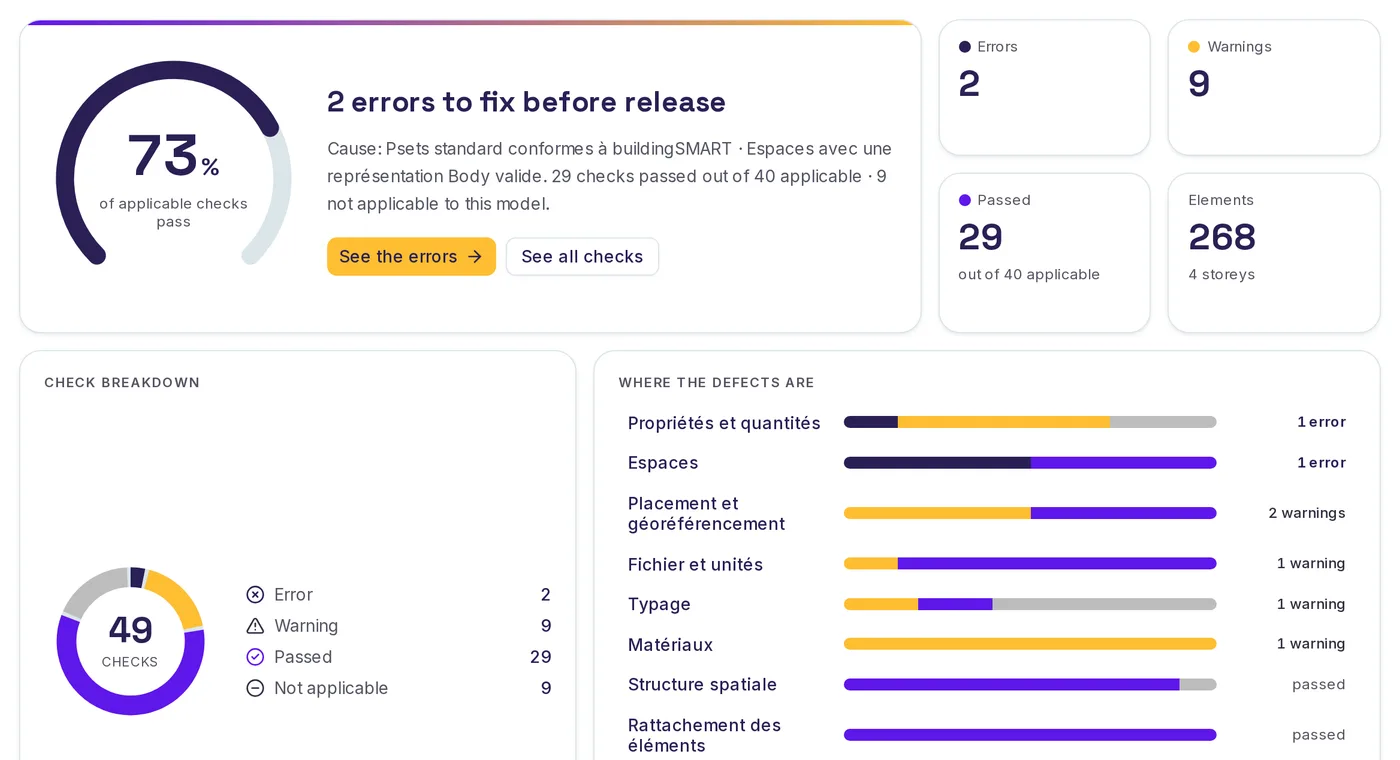
Real screenshots of the app, on a sample model.
More than 800IFC models tracked
More than 900revisions analyzed
Figures counted on October 16, 2026
Profiles
Check every delivery against your IDS requirements and share a health report the whole team can read.
See the tasksFederate the models of each package, compare their revisions and track issues until they are resolved.
See the tasksFollow the quality of the models you receive, model by model, with dashboards you can share.
See the tasksWrite the owner's requirements and audit the delivered models against them.
See the tasksCheck your IFC files before sending them and fix errors before they are shared.
See the tasksThe platform
SeveUp App brings together what a BIM team needs to check its models: import IFC files, verify they meet your requirements, track issues and share indicators. Everything runs in the browser, with no software to install.
Import your models one by one or in bulk. Each new version is kept as a revision and you follow the progress of processing. A 3D view lets you explore one model, or several federated models.
Load your requirements as IDS files, or let AI suggest some from your documents: you validate the rules one by one before compiling them into a valid IDS. SeveUp App then checks your models against those requirements.
Import and export issues in BCF format, and gather those coming from your coordination tools in one place.
Issues come from your coordination tools, or from a plain BCF file.
 Trimble Connect
 Catenda
 Kairnial
Build Power BI or HTML dashboards from your models, then download their data as CSV or JSON to reuse it elsewhere.
Three steps
Drop your IFC files, or connect Trimble Connect, Catenda or Kairnial to bring in your projects.
Apply your IDS requirements and, depending on your plan, your naming conventions. Results are given model by model.
Track issues and distribute indicators as a dashboard.
Strengths
SeveUp App is a web platform that audits IFC models (Industry Foundation Classes, the open BIM format from buildingSMART) against IDS requirements, tracks BCF issues and produces Power BI dashboards.
Nothing to install: your teams upload an IFC file and read the result, from any computer.
AI suggests rules from your documents; you validate them before they become a valid IDS.
Connectors to Trimble Connect, Catenda and Kairnial, and Power BI dashboards.
Connectors
SeveUp App connects to Trimble Connect, Catenda and Kairnial. Each connector has its own rules, described in the help center.
Trimble ConnectCatendaKairnialGuides
Sourced, dated guides to understand what your clients ask for, and check it in your models.
FAQ
Create an account, upload an IFC model and read its health report.